
Save and Share Your Analysis
Save your analysis for quick access later, organise it with tags, and share it with your team.
1. Save Your Analysis
At any time, click the Bookmark icon to save your current analysis.
Enter a meaningful title and, if desired, add tags to help you organise and find it more easily in your saved folder.
Click Save to store your analysis.
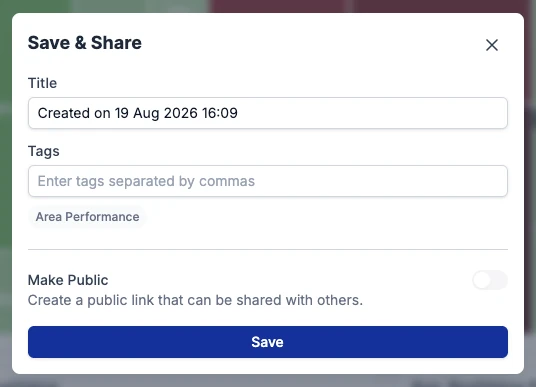
Tip: Use descriptive titles and tags, such as CCR Condo Market, Landed Opportunities, or Client - ABC Holdings, to quickly locate your saved analyses.
2. Access Your Saved Folder
Once saved, your analysis is available in your Saved folder.
You can search by title or filter using tags to quickly find previous analyses without having to recreate them.3. Share Your Analysis
After saving your analysis, you can choose to share it with others with RealInsight Access.
Available sharing options include:
- Anyone with the link: Anyone who has the link can access the analysis.
- My Company: Only users within your organisation can access the analysis.
Simply select the appropriate sharing option and copy the generated link.
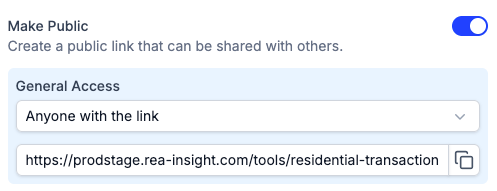
Tip: An analysis must be saved before it can be shared