
Explore and Evaluate Landed Properties
Identify redevelopment opportunities, estimate project feasibility, compare with nearby transactions, and generate a professional evaluation report.
1. Find Potential Opportunities
Start by filtering for the types of landed properties you want to evaluate.
For example, you might look for older single-storey landed houses that have not been rebuilt and are located in areas where current planning regulations allow redevelopment into 3-storey houses.
Apply the relevant filters to narrow down the list of potential opportunities.
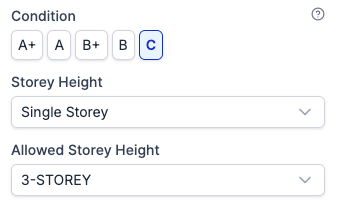
Tip: Combine filters such as property condition, building type, tenure, or location to focus on properties that match your investment strategy.
2. Review Matching Properties
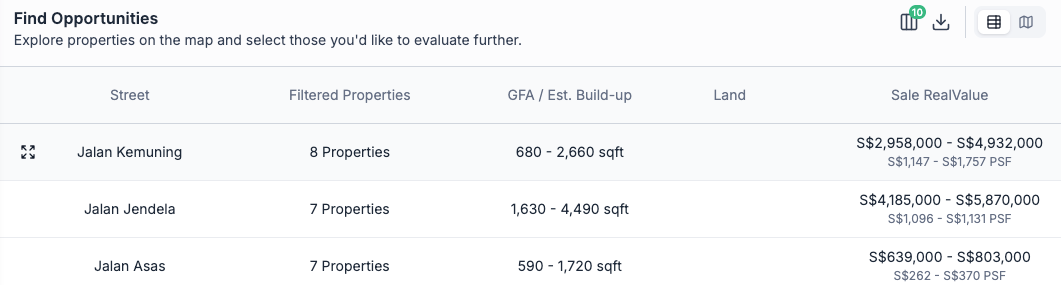
Once the filters are applied, matching properties are displayed in a table grouped by street.
Expand a street to view the individual properties within that location.
This makes it easy to compare multiple opportunities in the same neighbourhood before selecting properties for further evaluation.
3. Inspect an Individual Property
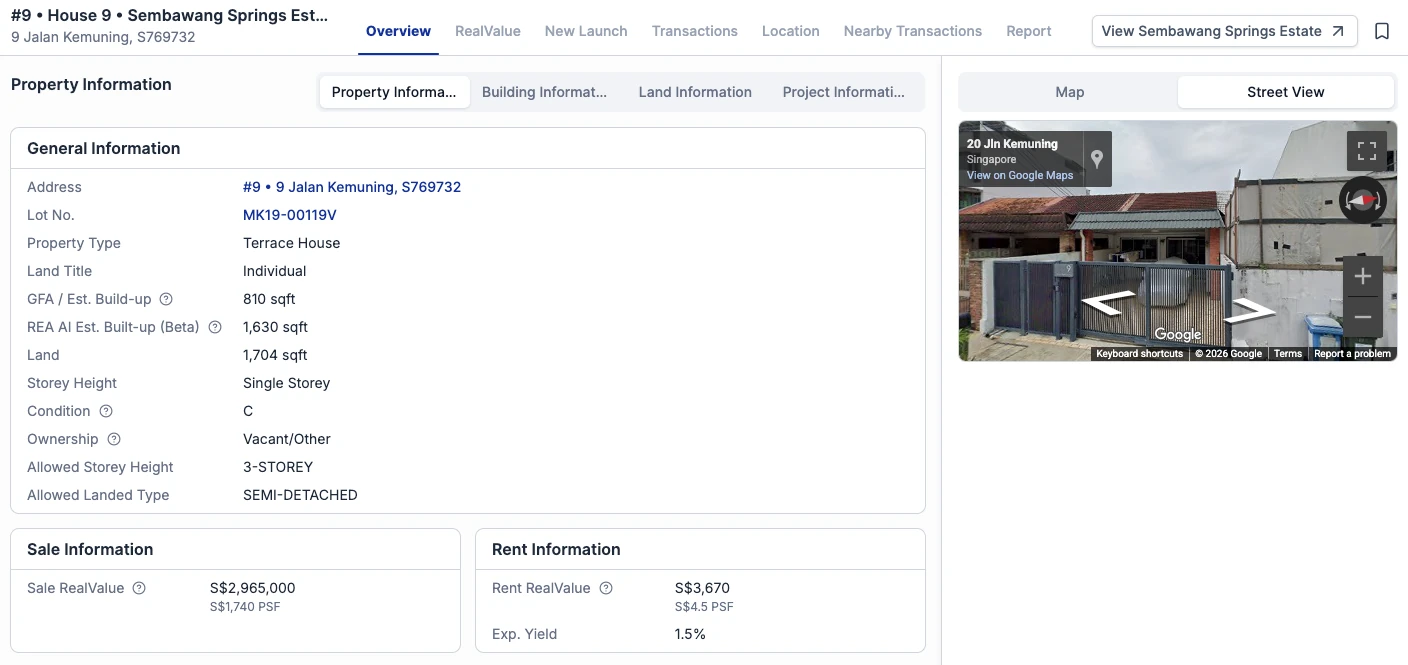
Click on any property address (displayed in blue) to open the property details.
The property overview provides useful information, including:
- Building size
- Land area
- Property characteristics
- Street View
Use this information to determine whether the property is suitable for redevelopment before proceeding with an evaluation.
4. Select Properties for Evaluation
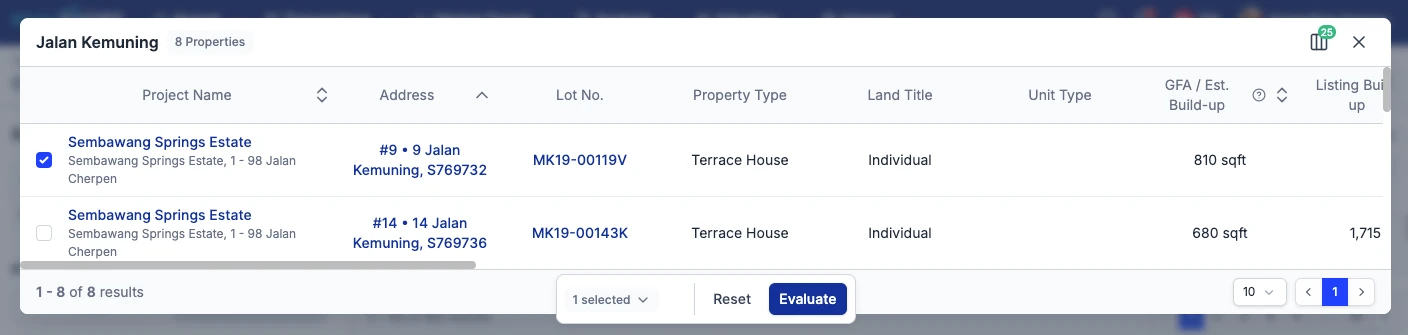
Select one or more properties from the search results and click Evaluate.
The evaluation page begins with an overview of the selected properties, allowing you to review their key characteristics before performing any calculations.
If multiple properties are selected, you can compare them side by side throughout the evaluation process.
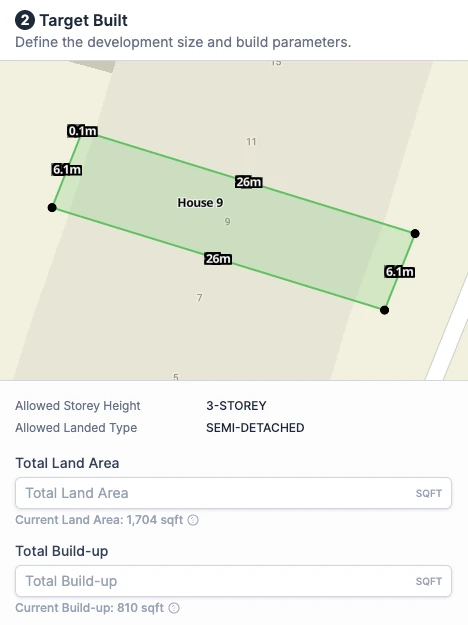
5. Define Your Redevelopment Scenario
Enter the details of your proposed redevelopment.
This includes information such as:
- Proposed total land area
- Proposed total build-up area
- Other project assumptions based on the site's allowable development potential
These values represent your redevelopment plan and will be used throughout the feasibility calculations.
6. Estimate Development Costs
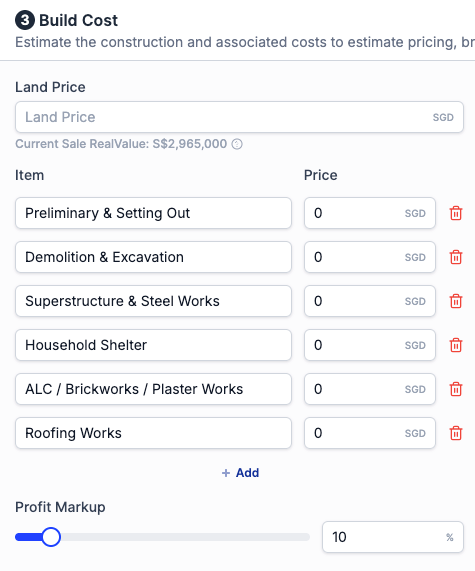
Use the Build Cost Calculator to estimate the total development cost.
Enter assumptions such as:
- Estimated land acquisition price
- Construction cost
- Desired profit margin or markup
The calculator combines these values to estimate the project's financial outcome.
7. Compare with Nearby Transactions
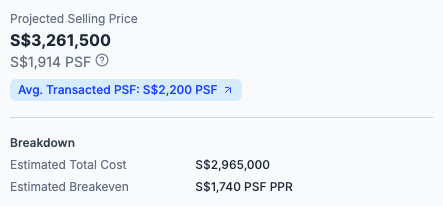
The evaluation estimates a target selling price for your redevelopment.
To help validate your assumptions, comparable transactions are displayed alongside the calculation. You can refine the comparison set by including or excluding transactions to better reflect the properties you consider most comparable.
This allows you to benchmark your redevelopment against the local market.
8. Generate Your Evaluation Report
Once you're satisfied with the assumptions and calculations, generate a professional evaluation report.
The report summarizes:
- Selected properties
- Redevelopment assumptions
- Cost calculations
- Comparable transaction analysis
- Estimated project values