
Compare Projects, Areas, Developers, and Land Parcels
Compare projects, areas, developers, and land parcels side by side to understand how they perform across the same market metrics.
1. Select What to Compare
There are two ways to start a comparison.
- From an entity page: While viewing a Project, Area, Developer, or Land Parcel, open the Compare tab and select the entities you want to compare.
- From Search: Use the Search page, select multiple entities using the checkboxes, then click Compare.
This allows you to compare similar entities or different entity types, such as a project against its surrounding area.
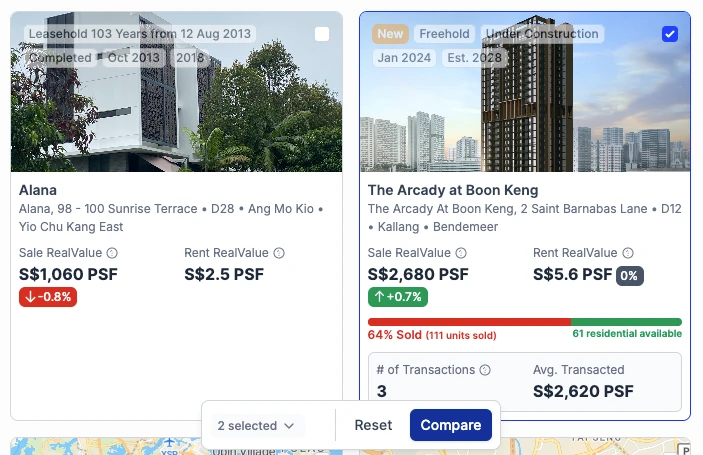
Example: Compare a condo with the planning area it is located in to see whether it is outperforming its local market.
2. Review the Comparison Overview
The comparison page displays the selected entities side by side, making it easy to benchmark key project or area characteristics.
This provides a quick summary before exploring the detailed analysis tabs.3. Compare Market Performance
Navigate through the available tabs to compare different aspects of the selected entities.
Depending on what you're comparing, you can analyse:
- RealValue
- New Launch
- Transactions
- Availability
- Developments
- Land Parcels
- Demographics
- Location
4. Generate a Comparison Report
Once your comparison is complete, generate a professional report to share with clients, investors, or colleagues.
The report can be customised before exporting, allowing you to include only the sections most relevant to your analysis.